

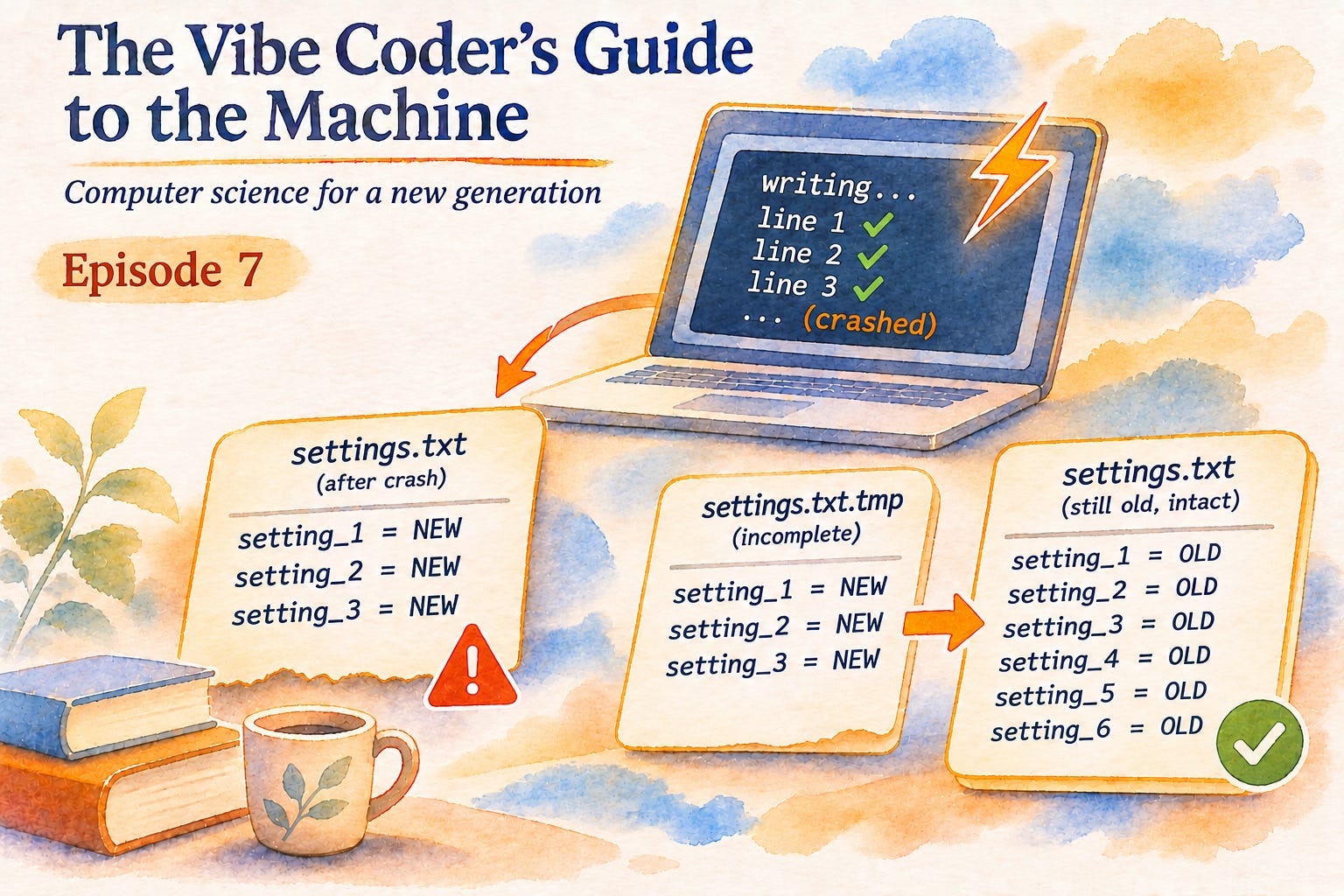
This is Episode 7 of The Vibe Coder’s Guide to the Machine: computer science for a new generation.
Here is a settings file called settings.txt, three lines long:
setting_1 = NEW
setting_2 = NEW
setting_3 = NEW
It is a perfectly good text file. Any editor will open it, and nothing in the file marks it as damaged. A moment earlier it had six lines, setting_1 to setting_6, all set to OLD. A program set out to replace all six with new values, wrote three of them, and was ended before it wrote the fourth. The other three settings are not marked as missing or left in their old form. They are simply not there, and nothing in the file says that anything was meant to follow line three.
This file raises a plain question: what will the next run find? A process forgets everything when it ends, so anything that must outlive it has to be written down on purpose. What the next run finds is a record of what the last process believed, written the way that process wrote it. About any stored state, then, three things matter: what it was meant to keep, where it is kept, and how a later reader can tell whether it still holds.
You may never have made that decision yourself. You ask the assistant to make the app remember your preferences, and a minute later it does. The phrase “save it to a file” covers several quite different ways of saving. Some of them can leave you with the three-line file above, and from the outside you cannot tell which one you got.
Forgetting is the default
Start with the smallest thing worth remembering, a count. I wrote a program that counts to five. It keeps the count in a variable and, every time the count goes up, rewrites it into a file called count.txt. The first process to run it, process ID 11230 (the number the system gives each running process), finished by printing count in memory = 5, count in file = 5. Then I started a second process from the same program, process ID 11231. It printed count in memory = 0, count in file = 5.
The program was the same and the results were not, because the two numbers live in different places. The variable belonged to process 11230. It lived in that process’s memory, the region the operating system set aside for it, and when the process ended the operating system took that memory back. Process 11231 got fresh memory of its own, and its variable started where the program text says it starts, at zero. The file belonged to neither process. It sat on the disk, and the disk does not care which process wrote to it or whether that process still exists.
That difference has a name. Persistence is state that outlives the process that made it. A variable is not persistent, because it ends with its process. Nothing persists by accident. A program remembers what it was written to write down, and forgets everything else.
Look at what the file actually kept. It holds the character 5. It does not say who wrote it, when, or whether five is still the right number. Process 11231 inherited a number with no history, and believed it. In the previous episode a program saved a login token to a file so that it would survive a restart, and it did survive. The new process read it faithfully and sent it to a server, which answered “token expired”. The file had done its job perfectly. It kept the value and said nothing about whether the value was still worth keeping.
A write takes time
The count fits in one character. Most things worth remembering do not, and that is where the three-line file comes from.
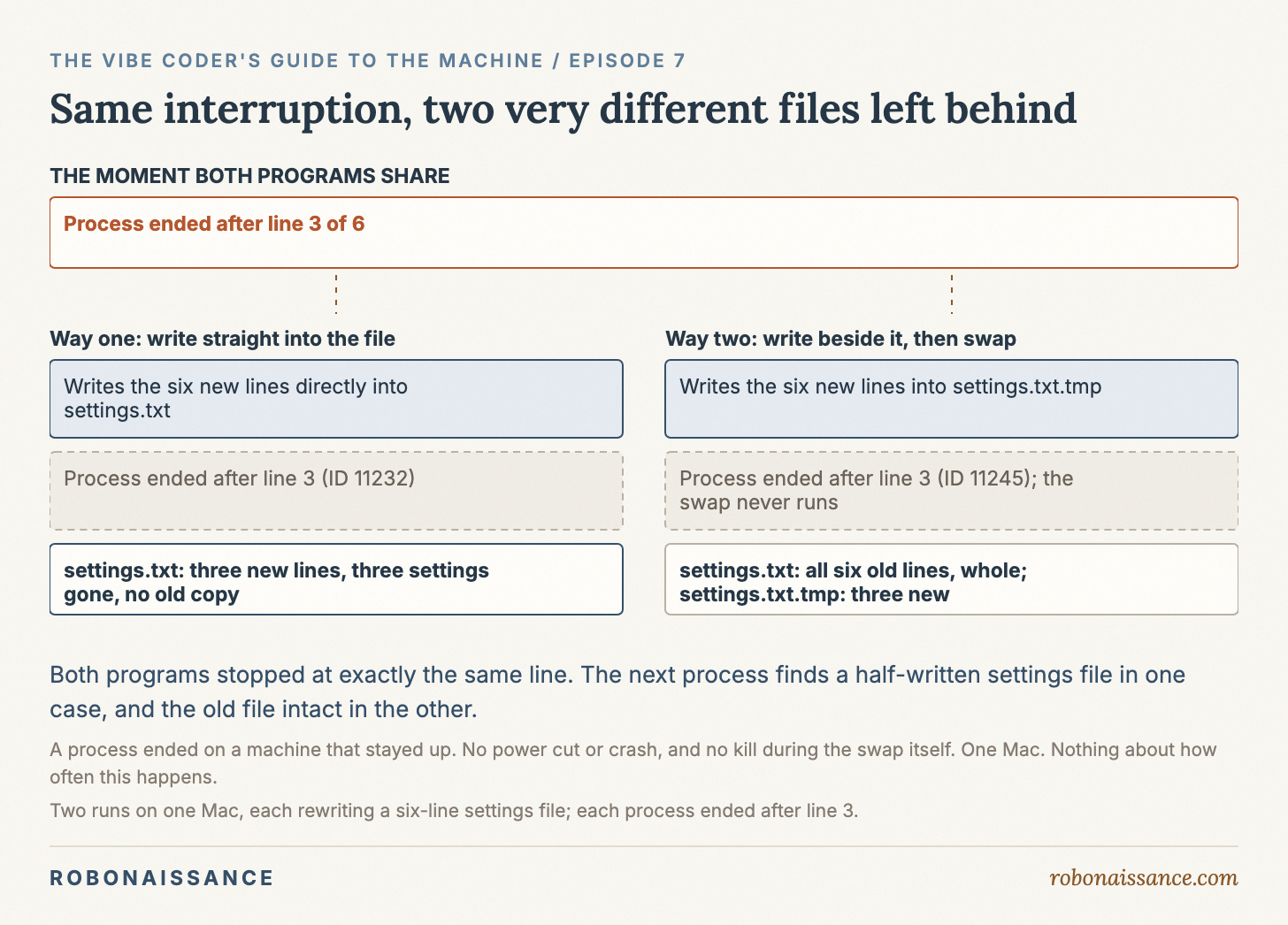
Rewriting the settings file the plainest way looks like this. Open settings.txt for writing, then write the six new lines one after another. I let one process, ID 11232, start on exactly that, and ended it after it reported writing line three, using kill -9, which ends a process at once and gives it no chance to finish or tidy up, unlike closing it politely. Afterwards the file held three NEW lines, and no OLD line was left anywhere. The result is the file this piece opened with: three new settings, three settings gone, and no old copy to go back to.
The deeper trouble is not that the write was interrupted. Processes get interrupted, by a crash, a closed laptop lid or an impatient Ctrl-C. The trouble is that the interrupted file looks finished. It is valid text with plausible lines, and nothing in it marks an end that never came. The next process will find three settings and must do whatever its code does about the missing three, with no way to tell from the file that they were lost rather than never set.
A write that looks like one action is really a sequence, and it can be cut at any point in the sequence. Where it can be cut, and what a cut leaves behind, depends entirely on how the write was arranged.
Beside, then swap
There is another arrangement, and it is the usual one for exactly this reason. Do not touch the real file at all while writing. Write the new version beside it, under a different name, and only when that copy is complete, swap it into place:
with open("settings.txt.tmp", "w") as f:
    for line in new_lines:
        f.write(line)
os.replace("settings.txt.tmp", "settings.txt")
I ran this version and killed its process, ID 11245, at the same point, after line three. Afterwards, settings.txt still held all six OLD lines, whole and untouched. Beside it sat settings.txt.tmp, holding three NEW lines. The swap on the last line never ran, so the real file was never replaced. The interrupted attempt left debris, but the debris was off to the side, and the file the next process reads was the complete old version.
That works only if the swap itself cannot be cut in half, and that guarantee comes from the operating system, not from the program. The Python documentation for os.replace says that if it succeeds, “the renaming will be an atomic operation (this is a POSIX requirement)”. POSIX is a standard that Unix-like systems such as macOS follow. Atomic here means indivisible: no observer ever sees it half done. Apple’s manual page for the underlying system call (a request a program makes to the operating system) is blunter: rename() “guarantees that an instance of new will always exist, even if the system should crash in the middle of the operation.” My run killed the process before the swap, not during it. For the swap itself, I am relying on what those pages promise.
So the second way of saving was a choice, and you can say what it bought and what it cost. It bought one clean property: the next process finds the old version or the new one, never a mixture. It cost a second file, a moment in which two versions exist, and a leftover .tmp that something may need to clean up. It also assumed something, because the same Python page notes that the operation may fail if the two files are on different filesystems. The temporary file has to be on the same filesystem as the real one, and writing it in the real file’s folder is the simple way to be sure. The first way assumed something too: that nothing would ever interrupt it. That assumption is invisible until it fails, and then the result looks like any other file.
Both programs “save the settings”. Both would pass a quick test, because a quick test does not kill the process at line three. The difference between them shows up only on the bad day, and on that day it is the whole story.
One caution belongs here, because it changes what these runs can claim. In both runs the process was ended on a machine that stayed up. There was no power cut, no operating-system crash and no kill during the swap itself. A power cut or crash is a harsher event, where even data the program had handed to the operating system might not yet have reached the disk. None of that was tested here.
What to ask of anything that remembers
When you build by asking, the decision about how something is saved usually arrives inside code about something else. You asked for a preferences screen, and the save is four lines near the bottom. Nothing on the screen tells you whether those lines write in place or beside-then-swap, and when everything goes well the two look identical. You do not need to read the code to find out, though. You can ask.
Ask what the program keeps between runs, and where each piece is kept. Ask, for each one, how a write is made: straight over the old version, or beside it and then swapped in. Ask what a reader of that file would find if the process died halfway through writing it, and whether anything would tell that reader the write was incomplete. And ask the question the token file raised: when the next process reads this value, how can it tell whether it is still true? A count, a setting and a token are all the same kind of thing once they are on disk. Each is a belief the last process held, left behind for whoever comes next.
Even a whole file can still be wrong. That happens when one change has to land in two places at once and the process dies between the two, or when a value that was true when it was written has stopped being true.
A running process holds its state the way you hold a thought: completely, and only for as long as it lasts. Everything a system remembers beyond that, it remembers because someone decided what to write, where to put it, and how to write it so that being interrupted halfway leaves something true.
The Vibe Coder’s Guide to the Machine. You can build it. Now understand it.