

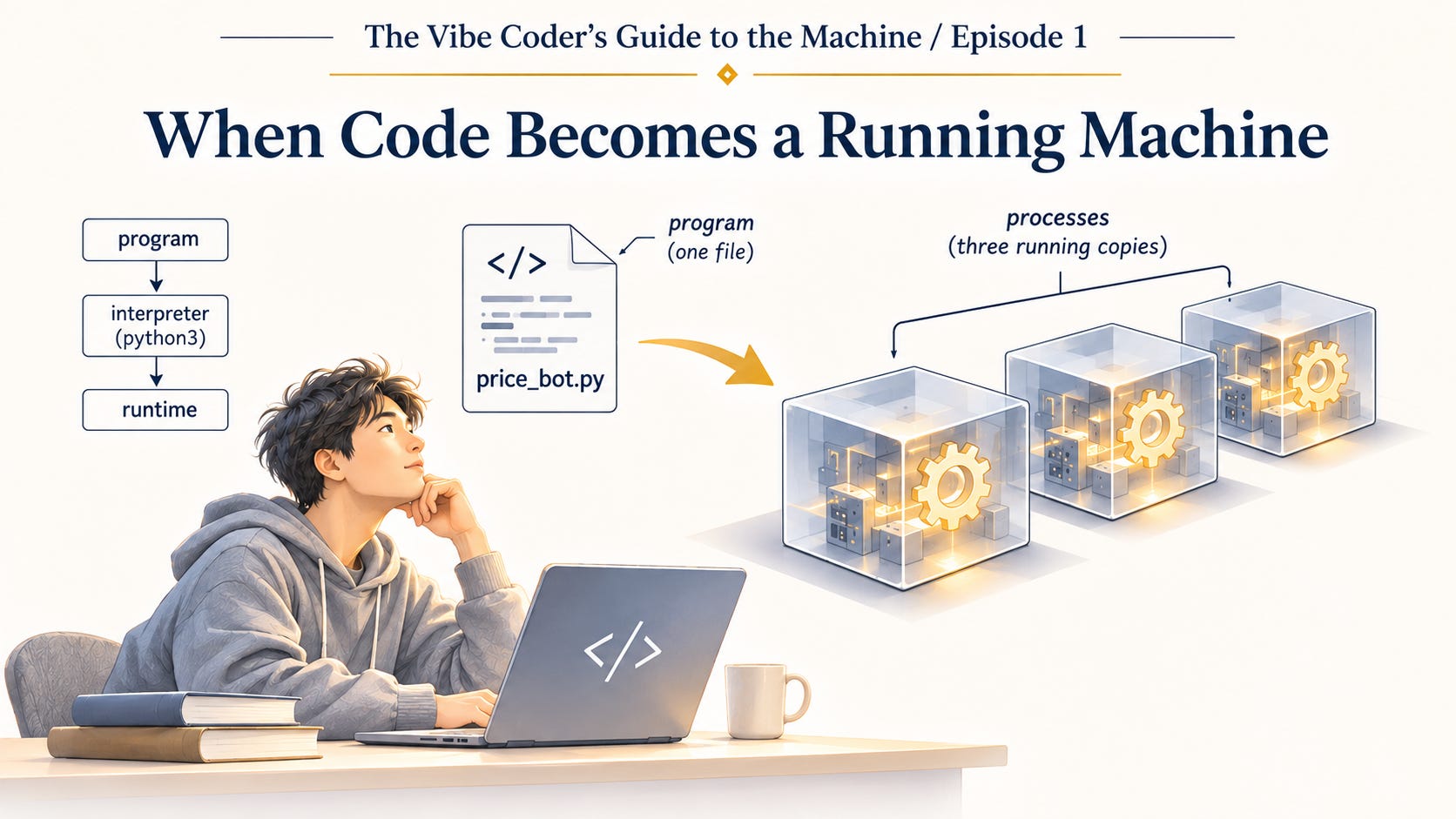
This is Episode 1 of The Vibe Coder’s Guide to the Machine: computer science for a new generation.
Say you want to know when a pair of headphones goes on sale. You describe it to the assistant in two sentences: check this product page every ten minutes, and send me a Telegram message if the price drops. A minute later you have a short file called price_bot.py. You run it in a terminal, it prints a single line saying it is watching, and you go and make dinner.
On Thursday the price drops and your phone buzzes three times. Three identical messages, a few seconds apart.
You open the file, or ask the assistant to, and the logic is fine. Fetch the price, compare it with the last one, send one message if it is lower, sleep, repeat. No line in the file says “three”. Then you remember the week. On Monday you ran the bot. On Tuesday you glanced at the tab and found the same single line from Monday night, with the cursor blinking beneath it and not one word added in a whole day. A bot with no news looks exactly like a process that has stalled, so you opened a new tab and ran it again. On Wednesday you asked the assistant why the bot was so quiet. It ran the bot once more from its own terminal, saw that it worked, told you so, and the conversation ended there, though ending a conversation does not end a process that is already running. There was one program. Three processes were started from it, two by you and one by the assistant, and all three are still running. Each one is checking the page, and each one is quite sure it is the only one.
That small mess rests on an idea older than any tool you used to build the bot: a program is a description, and running it makes a process. The process has a present moment, a place in its work where it is right now. It has values it is holding in its memory, which the file does not contain. And it has a reach into the world: a network connection, a file on disk, your phone. The program is what you asked for. The process is what you are responsible for.
AI changed which of the two is hard to come by. A program now costs a sentence and a minute, and you can have one without reading it. The processes it becomes are no cheaper than they ever were. They run on your laptop or your cloud account, under your keys, sending messages in your name. The only party that knows exactly how many you started is the operating system, which has kept count all week and seen no reason to mention it.
One file, three processes
The file holds the program as text on a disk, doing no work at all. You can copy it, email it or print it, and none of that checks a single price. A recipe in a drawer feeds nobody.
When you type python3 price_bot.py and press Enter, you ask the operating system to make a new process. The operating system is macOS, Windows or Linux, the software that manages the machine on behalf of every process running on it. It sets aside a region of memory for the new process, gives it a number called a process ID, records what it is allowed to touch, and starts it going. A process is a program in execution, together with all that the system keeps for it while it runs: its memory, its open files and connections, and its position in the work.
People use the word “program” for both. “My program crashed” and “my program is in the folder” sound like the same noun, but they name different objects, and the difference is not hair-splitting, because the counts differ. One program can become any number of processes, and every run makes another. The bot was one file and three processes, and the three had no connection to each other beyond having been started from the same text. Open Activity Monitor on a Mac, or Task Manager on Windows, and you will find them listed side by side.
You will also find that none of them is called price_bot. They are listed as Python, because what each of them is running is python3, the interpreter. The bot’s code, the text in price_bot.py, is only what python3 was given to read.
Who actually reads the code
The processor cannot read price_bot.py, because it does not read Python. It carries out instructions, small fixed operations built into the chip: load a number from one place in memory, add two numbers, compare the result with another, jump to a different spot depending on the answer. Each instruction is encoded as a few bytes the chip is built to recognise, and a modern processor gets through billions of them every second. To keep its place, the chip holds the address of the next instruction in a register, a tiny storage slot inside the chip, called the program counter. Every process comes down to long sequences of these instructions.
The bot’s file contains none of those instructions. python3 does. It is the Python interpreter, a program written mostly in C and translated long ago into native code, meaning instructions that run directly on the chip without an interpreter in between. It reads price_bot.py, translates it into bytecode, a compact set of instructions for an imaginary machine of Python’s own, and then runs a loop: take the next bytecode instruction, carry it out with its own native instructions, move to the next. Your code is the script. The interpreter is the actor reading it aloud, step by step, whether or not anyone else has read it.
The interpreter and the machinery it brings along while it carries out your code is called the runtime. It finds memory for a value when your code needs one and reclaims it when no part of the code uses the value any more. It supplies the standard library the bot leans on to fetch a web page, the code that runs several tasks at once, and the rules for what happens when an error goes unhandled. JavaScript has the same arrangement with Node or a browser. Code in languages such as Go or Rust is translated into native code ahead of time, so no interpreter is involved, but the file still carries a runtime: support code the compiler puts inside it. A compiler usually translates a program before it runs and then steps aside, while a runtime is there during the whole run, and the process is where it lives. Between what you wrote and what the chip does, there is always software doing work on your behalf.
Where it is right now
Execution, then, is a process stepping through instructions one after another while keeping track of where it is. Each such path through the instructions is called a thread, and one process can have several, each at its own place.
Keeping track of where it is turns out to be the heart of the matter. A program has no “now”. The file shows every line at once, the first and the last with equal standing. Each thread of a running process is always at one particular place in its work, marked by its program counter (on the chip while it runs, in memory while it waits) and, for Python, by the interpreter’s own marker for the next bytecode.
The people who first had to name this were trying to share a computer. In the mid-1960s at MIT, Jack Dennis and Earl Van Horn were working on machines that many users ran programs on at the same time, and they needed a word for what moves through a program as it is carried out. They chose “process”, and defined it in one line: “A process is a locus of control within an instruction sequence.” A locus of control is a present moment, the point the work has reached.
Their definition is close to what we now call a thread. Over the following decades the word moved. “Process” came to name the container, the memory and resources wrapped around the work, and “thread” took over the moving part. Both ideas were there at the start; only the labels shifted.
One memory or three
Each of the bot’s processes has more than one thread, because the assistant made a decision you did not ask for. While writing the bot, it added a small extra: send the bot /price and it replies with the latest price. To listen for your message while the main loop sleeps, it started a second thread, a second present moment inside the same process, at its own place in the instructions and sharing all of that process’s memory. Each thread also has a small scratch area of its own, called a stack, holding the functions it is in the middle of.
Here is the part of the code that matters:
last_price = None

while True:
    price = fetch_price(URL)
    if last_price is not None and price < last_price:
        send_message(f"Price dropped to {price}")
    last_price = price
    time.sleep(600)
When the main loop stores a new value in last_price, the listener thread sees it at once, because there is only one last_price in that process and both threads are reading the same memory. No value is copied or sent between them. Picture the threads as people in one house: they share the kitchen, and if someone moves the milk, everyone finds it moved.
The three processes are the opposite case. Each has its own memory, so each has its own last_price, and the operating system keeps a boundary between them: one process cannot simply read or write another’s memory. Crossing that boundary takes a deliberate arrangement the system allows, such as a region of memory both processes agree to share, or a debugger, a tool for inspecting a process, given permission to look inside. The three processes had no such arrangement. Each of the three saw the price fall, and none of them could know the others had seen it too. Three memories, three decisions, three messages. Each of them, by its own lights, had done its job perfectly.
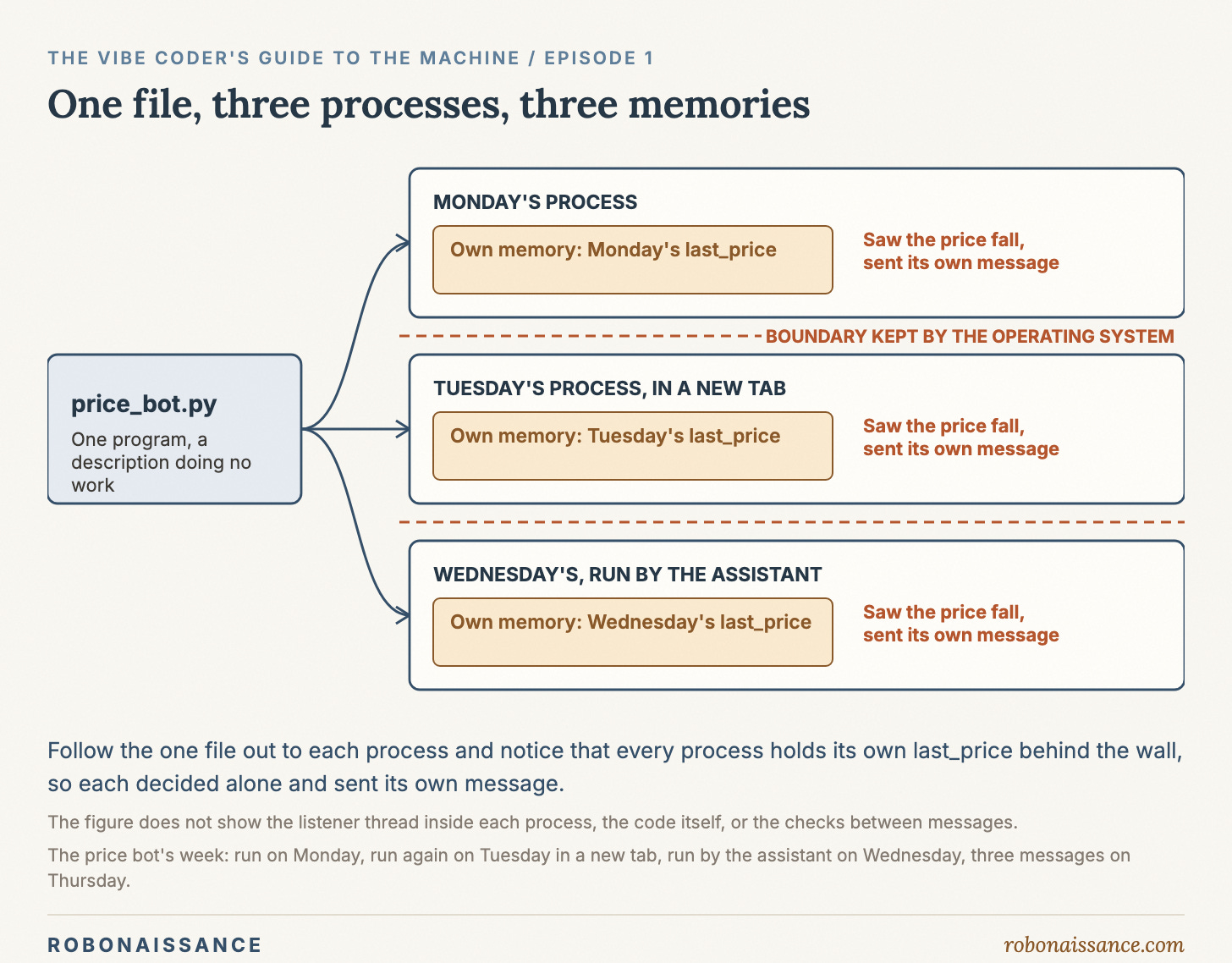
The boundary is there on purpose. Sharing memory, as threads do, buys convenience at a price: two threads can change the same value at the same moment and leave it in a state neither of them intended. Keeping memory apart, as processes do, buys protection at the opposite price: any sharing has to be arranged deliberately. That protection was itself a decision, and it began with sharing. A 1962 MIT paper used the term “time-sharing” for several persons making use of the computer at the same time. Among the problems it listed was that different user programs held in memory at once “may interfere with each other or the supervisor program”, so some form of memory protection mode should be available. That is the choice: whether a program may touch another’s memory. Protection answers no. It buys a bug that stays inside the program that has it, it costs sharing that must be arranged deliberately, and it assumes no program can be trusted near another’s memory. The bot met a small version of the same choice the moment it needed to listen for /price while the main loop slept: a second thread, sharing last_price with the loop, or something kept apart behind that boundary. The assistant picked the thread. Whether a task gets a thread or a process of its own is real engineering judgment, and here it was made silently, inside a reply that was mostly about headphones.
A program is a description, and running it makes a process with a present moment and a memory of its own, which is how one file about headphones became three processes, three memories and three decisions. That is where the bot stands now. All three processes are still running, listed side by side as Python, two started by you and one by the assistant, each at its own place in the loop, each holding its own last_price and its own reach to your phone, and each going back to the page whenever its ten-minute sleep runs out. Finding them was the easy part. What stays open is what ending one of them actually involves, and what it is holding at the moment it stops: a value in memory that exists nowhere else, a connection to a web page, the means to send a message in your name. If you stop two of the three, which one should be left, and what will it still remember?
The Vibe Coder’s Guide to the Machine. You can build it. Now understand it.